Publishers can use the "Rights" page manage the list of users that have rights to manage it's content and add new ones.
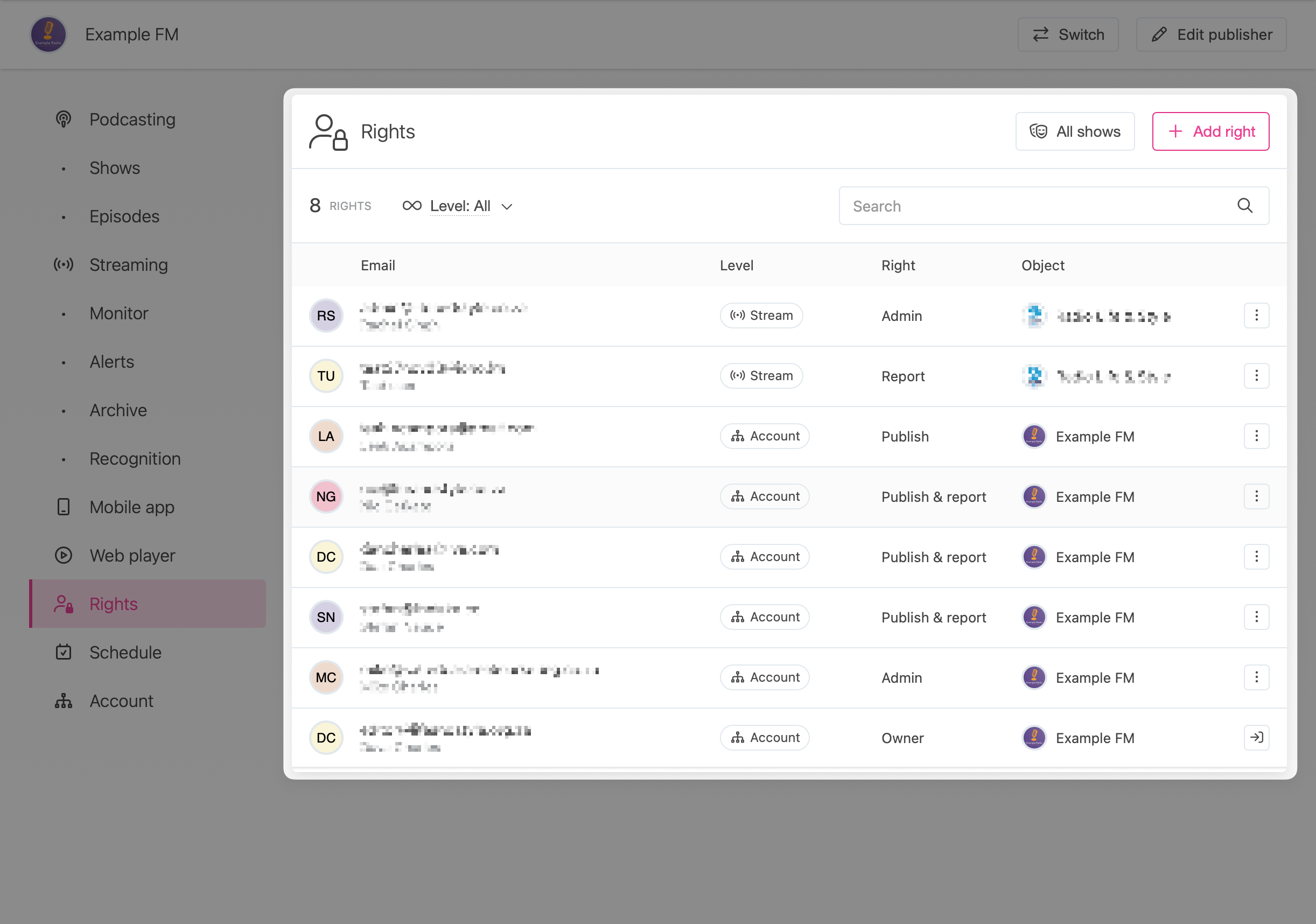
Right level
When adding a right it can apply to:
- Account - the right is available on the publisher account itself, all it's podcast shows and stream.
- Show - the right applies to a specific podcast show. A specific show needs to be chosen. A user can have rights to more than one show.
- Stream - the right applies only to the radio stream.
Rights
There are 4 levels of access that can be granted:
- Owner - a publisher account can only have one owner. This is the primary contact person for the account and has complete rights to modify all users and content, in addition to managing the products the account subscribes to.
- Admin - the user can change and delete all content for the account, stream or show it is assigned to.
- Publish - the user can publish episodes on the account, stream or shows they are assigned to. They cannot change any settings.
- Report - the user can view analytics for the account, stream or shows. They cannot publish any content nor change any settings.
💡 Example: An "Account" level "Publish" right allows a user to publish and manage episodes for any show in account, but they cannot create or edit the shows themselves.
Rights matrix
| Change products or billing | Edit account settings | Manage shows | Manage episodes | Analytics reports | |
|---|---|---|---|---|---|
| Owner | ✓ | ✓ | ✓ | ✓ | ✓ |
| Admin | - | ✓ | ✓ | ✓ | ✓ |
| Publish | - | - | - | ✓ | - |
| Report | - | - | - | - | ✓ |
Adding admin users
Use the "Add right" button to invite new admin users to your account, or assign additional rights to existing users.
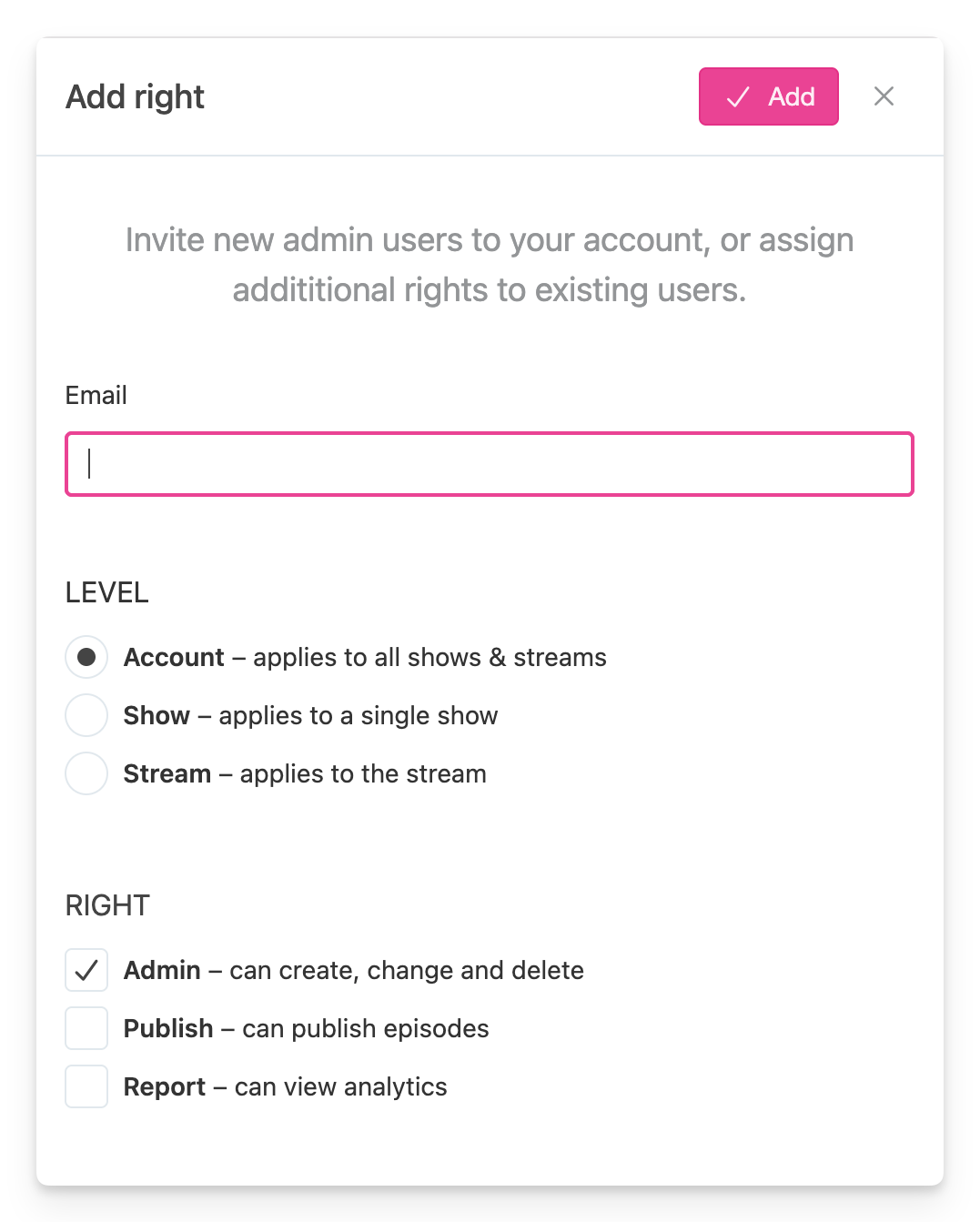
When adding an email address that is not associated with a user on our platform yet they will get an invitation to signup. For existing users, the right will be applied immediately with a simple email notifying them of the new right.